

Note
Go to the end to download the full example code.
Load the sample data#
Load the head phantom and the other images that ship with TIGRE.
Source: Python/demos/d02_SampleData.py · MATLAB/Demos/d02_SampleData.m
MATLAB version of this demo
%% DEMO 02: Sample data in TIGRE
%
%
% TIGRE has some sample data so you can use without the need of having
% your own data. This code sample shows how to load the data.
%
% Sample data is stored in "data" folder, inside TIGRE/Common.
%
% If you want to contribute your own phantom/real data, please do. Send an
% email to tigre.toolbox@gmail.com. If you want us to just add a link to
% your own page with data, we could also do that.
%
%--------------------------------------------------------------------------
%--------------------------------------------------------------------------
% This file is part of the TIGRE Toolbox
%
% Copyright (c) 2015, University of Bath and
%                     CERN-European Organization for Nuclear Research
%                     All rights reserved.
%
% License:            Open Source under BSD.
%                     See the full license at
%                     https://github.com/CERN/TIGRE/blob/master/LICENSE
%
% Contact:            tigre.toolbox@gmail.com
% Codes:              https://github.com/CERN/TIGRE/
% Coded by:           Ander Biguri
%--------------------------------------------------------------------------
%% Initialize

clear;
close all;
%% Define Geometry

geo=defaultGeometry();
%% Sample data:
%--------------------------------------------------------------------------
%3D Shepp-Logan
%
% Type of shepp logan phantom. The shape will be the same, but Hounsfield
% values will be different
% Options:
%--------------------------------------------------------------------------
% License problems, we are looking at this now.
% shepp_type='yu-ye-wang';
% shepp_type='Shepp-Logan';
% shepp_type='Modified Shepp-Logan';  % (default).
%
% shepp=sheppLogan3D(geo.nVoxel,shepp_type); % Default are 128^3 and Modified shepp-logan
%
% Get it here: http://uk.mathworks.com/matlabcentral/fileexchange/50974-3d-shepp-logan-phantom
%
% show it
% plotImg(shepp,'Dim','Z');
%--------------------------------------------------------------------------

%--------------------------------------------------------------------------
% head phantom
%
%
head=headPhantom(geo.nVoxel); %default is 128^3
% show it
plotImg(head,'Dim','Z');
citeme('headPhantom')

%% Real data

% SophiaBeads_demo.m shows how to download and use the Sophia Beads
% micro-CT dataset

% The following repository contains a Varian dataset that can be loaded
% with the code in demo 21.
% https://zenodo.org/record/8045749
import tigre
from tigre.utilities import sample_loader
from tigre.utilities import sl3d
Define geometry#
geo = tigre.geometry_default(high_resolution=False)
# --------------------------------------------------------------------------
# 3D Shepp-Logan
#
# Type of shepp logan phantom. The shape will be the same, but Hounsfield
# values will be different
# Options:
#  phantom_type: str
#      One of {"kak-slaney", "yu-ye-wang", "toft-schabel"}, optional
#      Default is "yu-ye-wang"
#      The type of phantom.
#  size_out : int or list whose length is three, optional
#      Default is [128, 128, 128]
#      The number of voxels of phantom. [nVoxelZ, nVoxelY, nVoxelX]
# --------------------------------------------------------------------------
# phantom_type="kak-slaney"    # Air is 0. Water is 1. Proportional to Hounsfield value.
phantom_type = (
    "yu-ye-wang"  # Default of Python TIGRE Shepp-Logan phantom. Improved visual perception
)
# phantom_type="toft-schabel"  # Default of MATLAB TIGRE Shepp-Logan phantom.
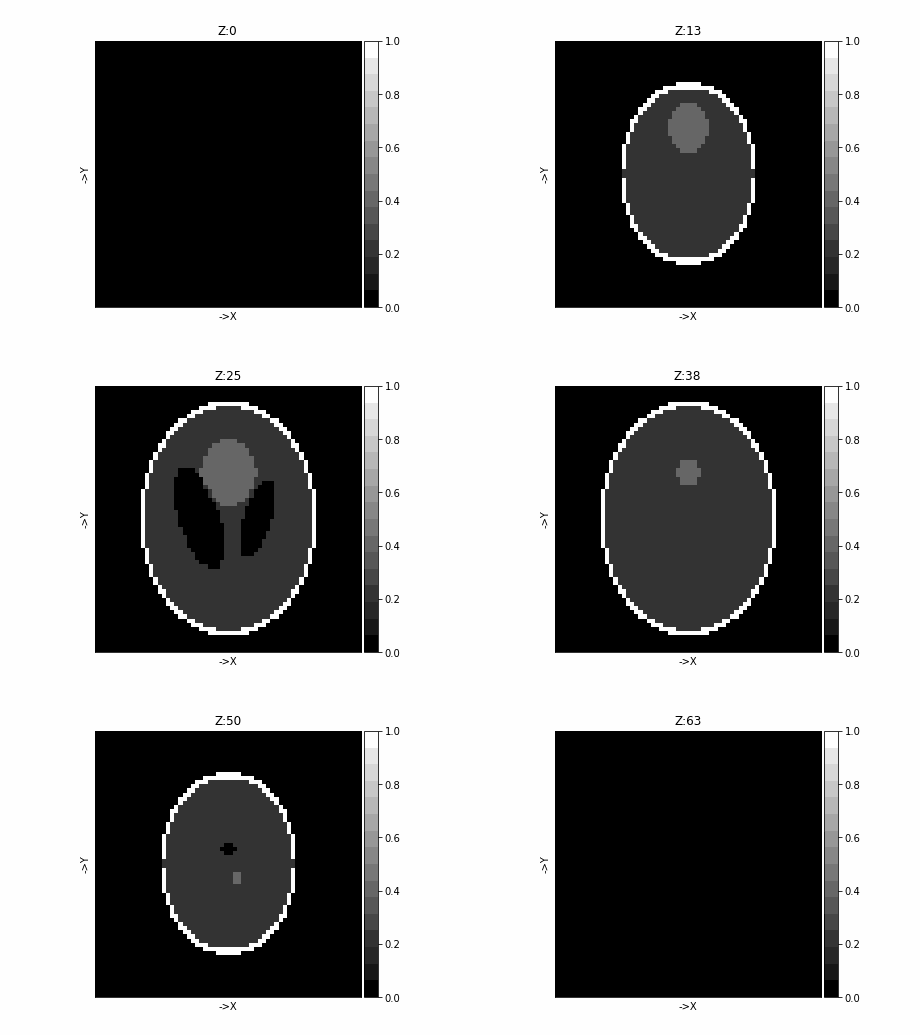
shepp = sl3d.shepp_logan_3d(
    geo.nVoxel, phantom_type=phantom_type
)  # Default are 128^3 and "yu-ye-wang"
tigre.plotImg(shepp, dim="z")
load head phantom#
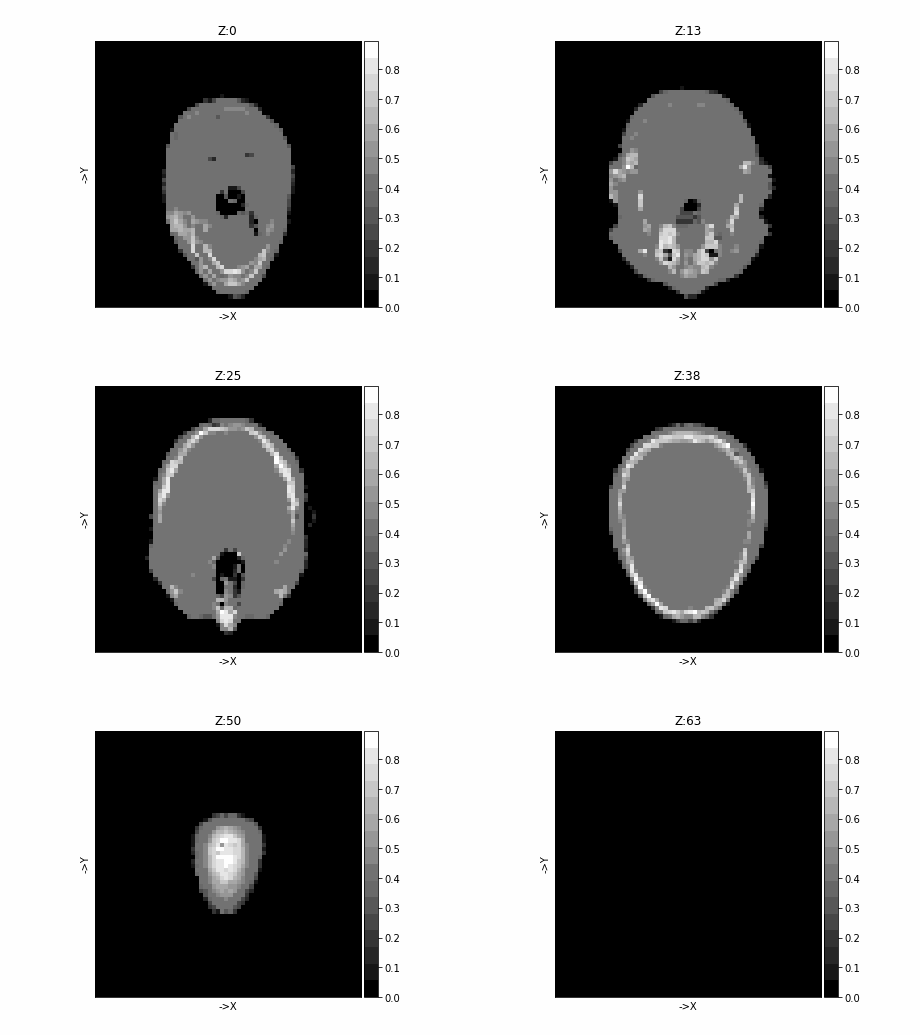
head = sample_loader.load_head_phantom(geo.nVoxel)
# check the shape
print(head.shape)
# show it
tigre.plotImg(head, dim="z")
(64, 64, 64)
Total running time of the script: (0 minutes 8.773 seconds)