

Note
Go to the end to download the full example code.
Arbitrary axis of rotation#
Trajectories that are not a circle around z, given as Euler angles.
Source: Python/demos/d18_ArbitraryAxisOfRotation.py · MATLAB/Demos/d18_ArbitraryAxisOfRotation.m
MATLAB version of this demo
%% DEMO 18: Arbitrary axis of rotation
%
%
%
% Some modern CT geometries are starting to be a bit more complex, one of
% the common things being arbitrary axis of rotation i.e. the detector and the
% source can move not in a circular path, but in a "spherical" path.
%
% In TIGRE this has been implemented by defining the rotation with 3
% angles, specifically the ZYZ configuration of Euler angles.
%
%  This demo shows how to use it.
%
%--------------------------------------------------------------------------
%--------------------------------------------------------------------------
% This file is part of the TIGRE Toolbox
% % Copyright (c) 2015, University of Bath and
%                     CERN-European Organization for Nuclear Research
%                     All rights reserved.
%
% License:            Open Source under BSD.
%                     See the full license at
%                     https://github.com/CERN/TIGRE/blob/master/LICENSE
%
% Contact:            tigre.toolbox@gmail.com
% Codes:              https://github.com/CERN/TIGRE/
% Coded by:           Ander Biguri
%--------------------------------------------------------------------------
%% Initialize

clear;
close all;
%% Define Geometry
%
% VARIABLE                                   DESCRIPTION                    UNITS
%-------------------------------------------------------------------------------------
geo.DSD = 1536;                             % Distance Source Detector      (mm)
geo.DSO = 1000;                             % Distance Source Origin        (mm)
% Detector parameters
geo.nDetector=[512; 512];					% number of pixels              (px)
geo.dDetector=[0.8; 0.8]; 					% size of each pixel            (mm)
geo.sDetector=geo.nDetector.*geo.dDetector; % total size of the detector    (mm)
% Image parameters
geo.nVoxel=[128;128;128];                   % number of voxels              (vx)

% a bit smaller than usual because the demo includes a very big detector
% angle for showcase
geo.sVoxel=[256;256;256]/1.5;               % total size of the image       (mm)


geo.dVoxel=geo.sVoxel./geo.nVoxel;          % size of each voxel            (mm)
% Offsets
geo.offOrigin =[0;0;0];                     % Offset of image from origin   (mm)
geo.offDetector=[0; 0];                     % Offset of Detector            (mm)


% Auxiliary
geo.accuracy=0.5;                           % Accuracy of FWD proj          (vx/sample)

geo.mode='cone';

%% Define angles
numProjs = 100;

anglesY=linspace(0,2*pi,numProjs);
anglesZ2=anglesY;
anglesZ1=pi*sin(linspace(0,2*pi,numProjs));
angles=[anglesZ1;anglesY;anglesZ2];
%% Get Image

head=headPhantom(geo.nVoxel);

%% Project

projections=Ax(head,geo,angles);

plotProj(projections,(1:100)*pi/180); % angle information not right in the title
%% Reconstruct:

% Note, FDK will not work.

imgSIRT = SIRT(projections,geo, angles,50);
imgCGLS = CGLS(projections,geo, angles,10);

plotImg([head imgCGLS imgSIRT] ,'dim',3)
Initialize#
import tigre
import numpy as np
from tigre.utilities import sample_loader
from tigre.utilities import CTnoise
import tigre.algorithms as algs
Geometry#
geo = tigre.geometry_default(high_resolution=False)
Load data and generate projections#
## Define angles
numProjs = 100

anglesY = np.linspace(0, 2 * np.pi, numProjs, endpoint=False)
anglesZ2 = anglesY
anglesZ1 = np.pi * np.sin(anglesY)
angles = np.vstack([anglesZ1, anglesY, anglesZ2]).T

## Get Image

head = sample_loader.load_head_phantom(geo.nVoxel)

## Project

projections = tigre.Ax(head, geo, angles)

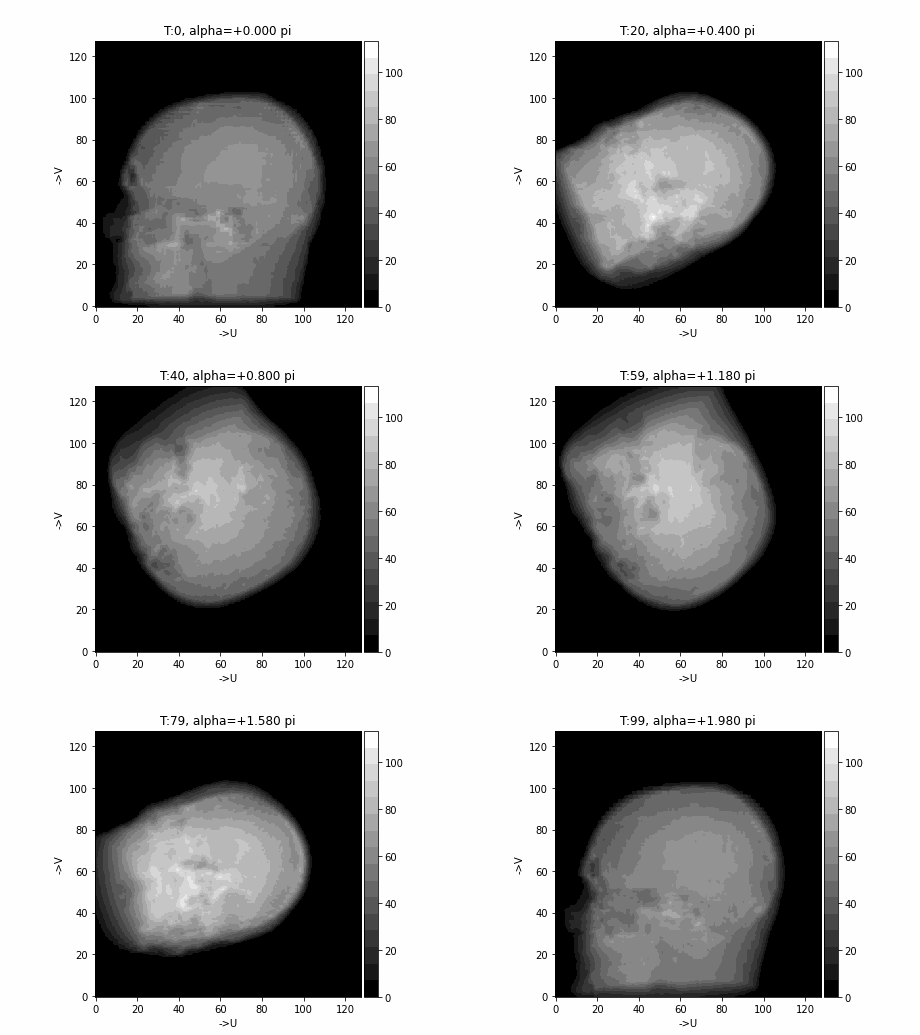
tigre.plotproj(projections, anglesY)  # angle information not right in the title
## Reconstruct:

# Note, FDK will not work.

imgSIRT = algs.sirt(projections, geo, angles, 50)
imgCGLS = algs.cgls(projections, geo, angles, 10)

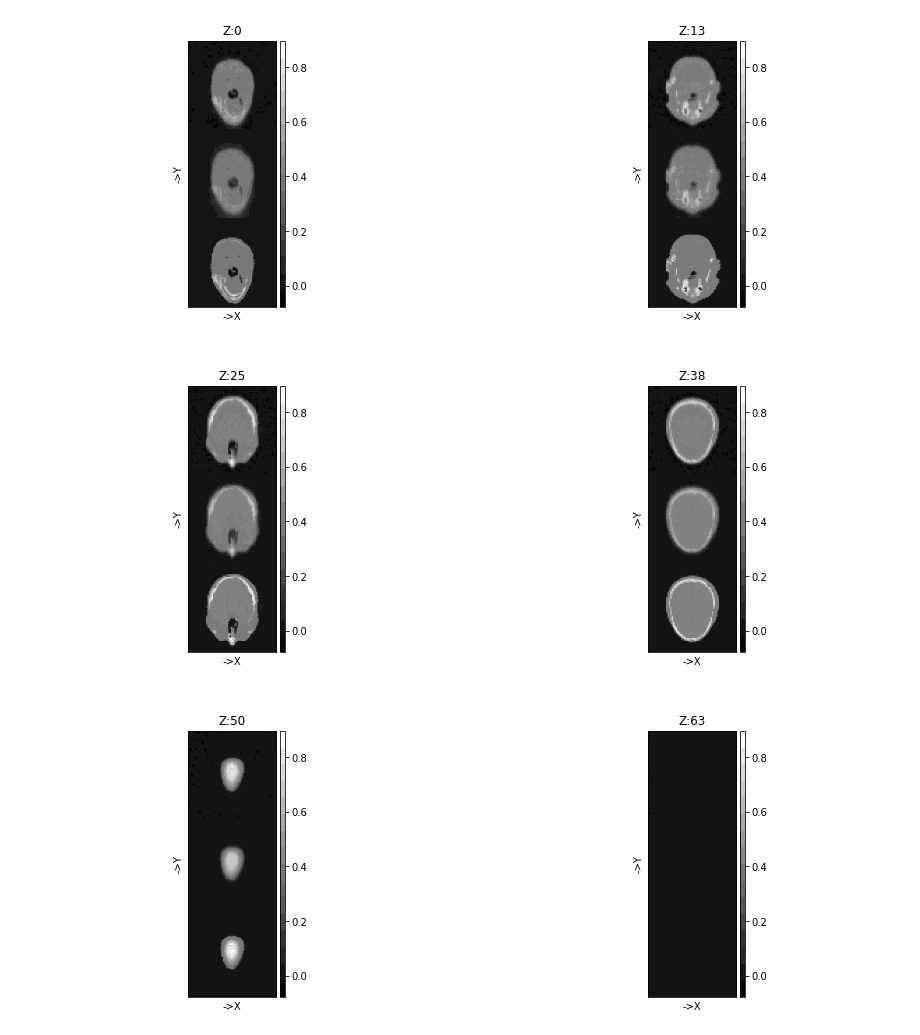
tigre.plotimg(np.concatenate([head, imgSIRT, imgCGLS], axis=1), dim="z")
SIRT algorithm in progress.
Estimated time until completion : 00:00:02
Algorithm will finish at        : 16:55:53
CGLS algorithm in progress.
Estimated time until completion : 00:00:00
Algorithm will finish at        : 16:55:52
Average time taken for each iteration for CGLS:0.012445609999122097(s)
Total running time of the script: (0 minutes 16.945 seconds)