

Note
Go to the end to download the full example code.
Post-process a reconstruction#
Denoise a reconstruction with total variation after it is computed.
Source: Python/demos/d11_PostProcessing.py · MATLAB/Demos/d11_PostProcessing.m
MATLAB version of this demo
%% Demo 11: Postprocessing
%
% This demo demonstrates the available postprocessing tools in TIGRE.
%
%--------------------------------------------------------------------------
%--------------------------------------------------------------------------
% This file is part of the TIGRE Toolbox
%
% Copyright (c) 2015, University of Bath and
%                     CERN-European Organization for Nuclear Research
%                     All rights reserved.
%
% License:            Open Source under BSD.
%                     See the full license at
%                     https://github.com/CERN/TIGRE/blob/master/LICENSE
%
% Contact:            tigre.toolbox@gmail.com
% Codes:              https://github.com/CERN/TIGRE/
% Coded by:           Ander Biguri
%--------------------------------------------------------------------------
%% Initialize
clear;
close all;

%% Define Geometry
geo=defaultGeometry('nVoxel',[128;128;128]);

%% Load data and generate projections
% see previous demo for explanation
angles=linspace(0,2*pi,100);
head=headPhantom(geo.nVoxel);
projections=Ax(head,geo,angles,'interpolated');
noise_projections=addCTnoise(projections);
%% Let's just use FDK

imgFDK=FDK(noise_projections,geo,angles);

%% Postprocessing
%
%  Currently the postprocessing steps in TIGRE are limited, but there are 2
%  functions you can use
%
% im3Ddenoise : Denoises a 3D image, using Total Variation denoising.
%
%  Arguments are the number of iterations and the hyperparameter (same as in
%  SART-TV)
imgdenoised=im3DDenoise(imgFDK,'TV',100,15);

% cropCBCT: Crops all the sections that lie outide the area that is covered
% by the cone
%
%
imcropped=cropCBCT(imgFDK,geo);

%% plot results
% denoised image is clearer
plotImg([imgFDK imgdenoised imcropped],'Dim','Z')
% however, the denoising has no knoledge of the original data (projections)
% this it doesnt reduce the error. The error increases, specially in small
% areas
plotImg(abs([head-imgFDK head-imgdenoised head-imcropped]),'Dim','Z')
Initialize#
import tigre
import numpy as np
from tigre.utilities import sample_loader
from tigre.utilities import CTnoise
import tigre.algorithms as algs
from matplotlib import pyplot as plt
from tigre.utilities.im_3d_denoise import im3ddenoise
from tigre.utilities.crop_CBCT import cropCBCT
Geometry#
geo = tigre.geometry_default(high_resolution=False)
Load data and generate projections#
# define angles
angles = np.linspace(0, 2 * np.pi, 100, endpoint=False)
# Load thorax phantom data
head = sample_loader.load_head_phantom(geo.nVoxel)
# generate projections
projections = tigre.Ax(head, geo, angles)
# add noise
noise_projections = CTnoise.add(projections, Poisson=1e5, Gaussian=np.array([0, 10]))
Some recon, FDK for example#
imgFDK = algs.fdk(projections, geo, angles)
Postprocessing#
#
#  Currently the postprocessing steps in TIGRE are limited, but there are 2
#  functions you can use
#
# im3ddenoise : Denoises a 3D image, using Total Variation denoising.
#
#  Arguments are the number of iterations and the hyperparameter (same as in
#  SART-TV)
imgdenoised = im3ddenoise(imgFDK, 100, 15)

# cropCBCT: Crops all the sections that lie outide the area that is covered
# by the cone
# Note this does not consider offsets nor does it remove the top and bottom
# cone sections
imcropped = cropCBCT(imgFDK)
plot results#
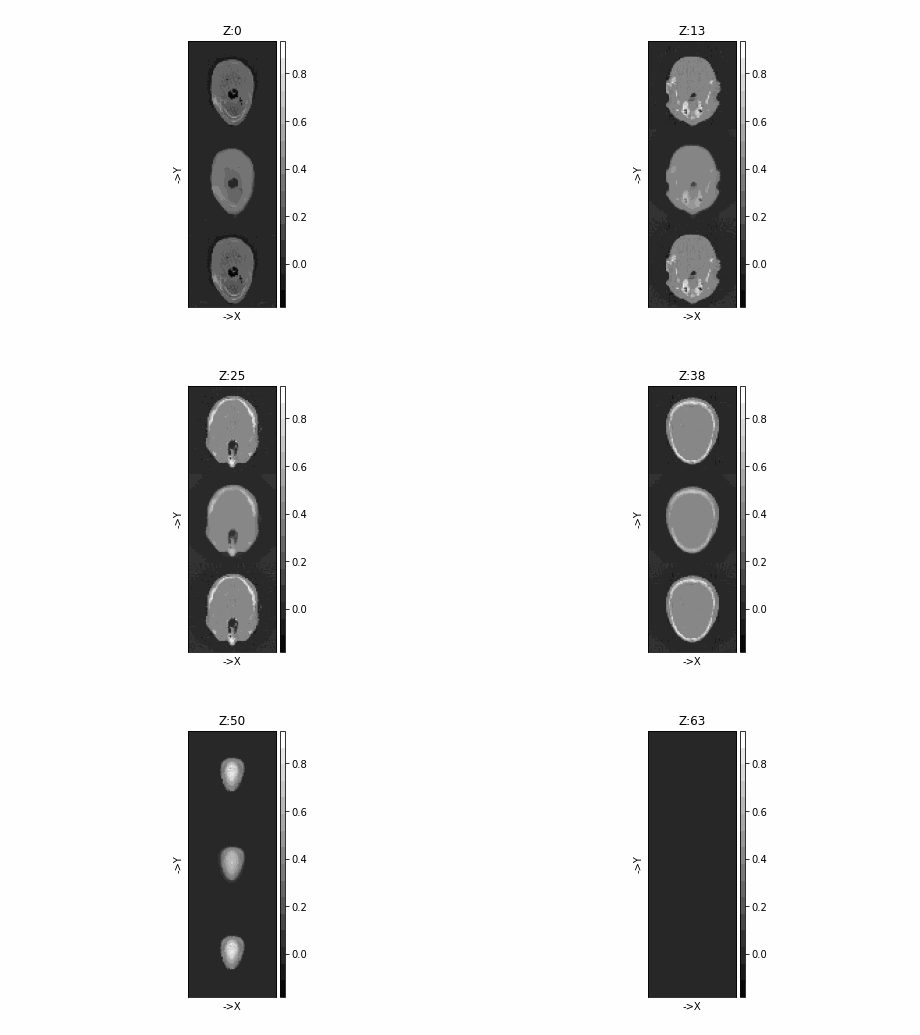
# denoised image is clearer
tigre.plotImg(
    np.concatenate([imgFDK, imgdenoised, imcropped], axis=1), dim="z"
    )
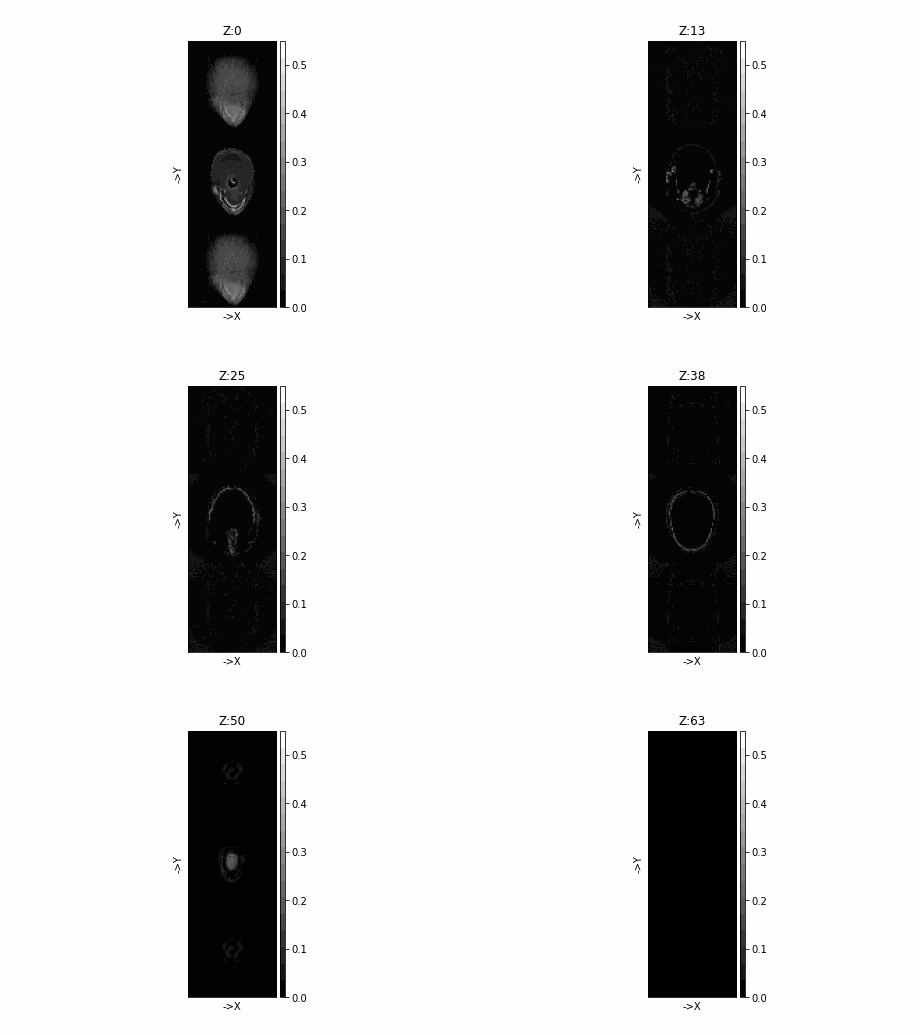
# however, the denoising has no knoledge of the original data (projections)
# this it doesnt reduce the error. The error increases, specially in small
# areas
tigre.plotImg(
    abs(np.concatenate([head - imgFDK, head - imgdenoised, head - imcropped], axis=1)), dim="z"
    )
Total running time of the script: (0 minutes 8.337 seconds)